

Every tenant I've worked in that runs the CoE Starter Kit has the same story. Someone installed it, the sync flows ran for a while, then a flow failed quietly and nobody noticed for two months. By the time you look at the dashboard you're not sure whether you're looking at your tenant or a snapshot of it from last quarter.
So I built Power Platform Control Hub.
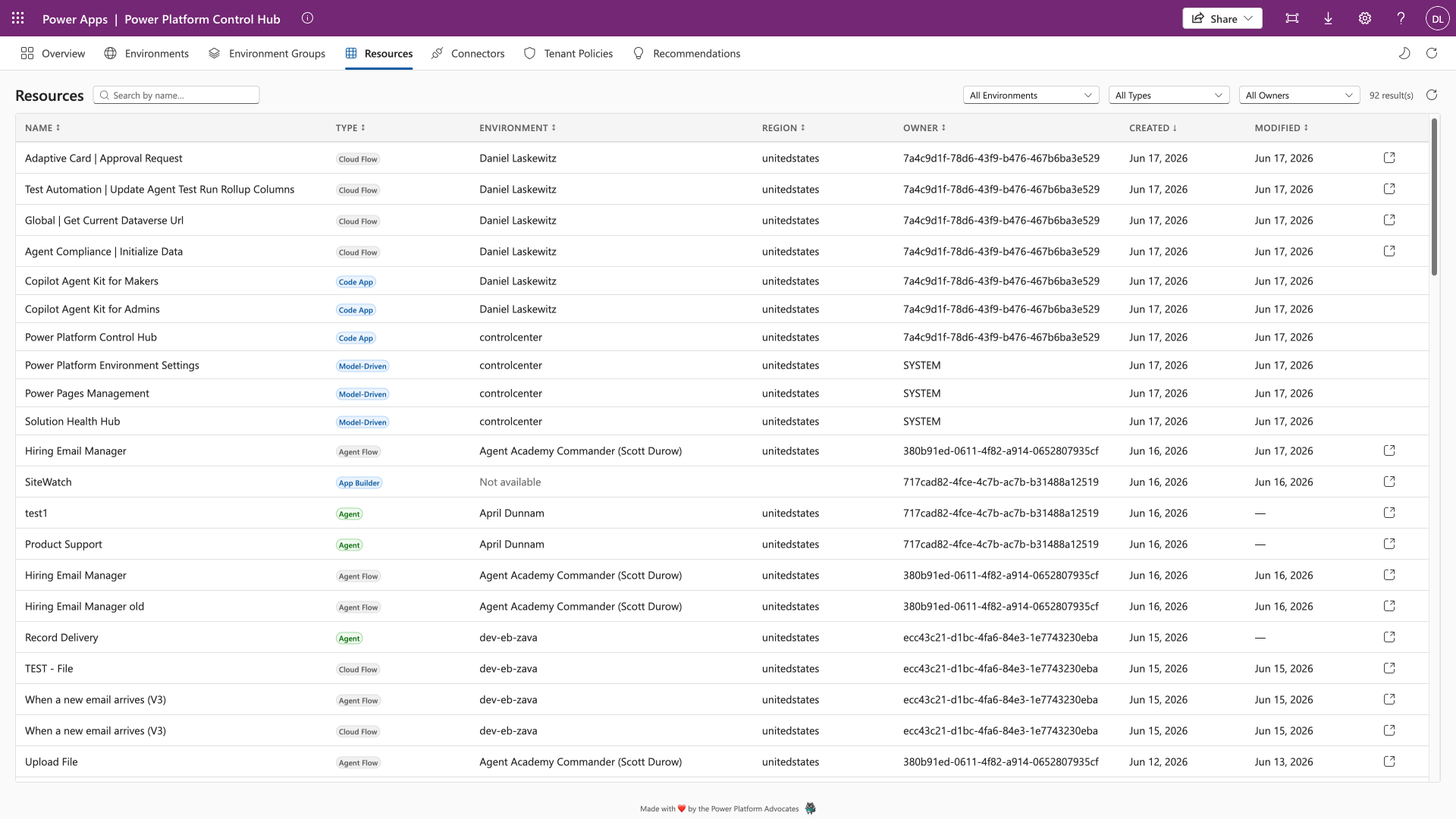
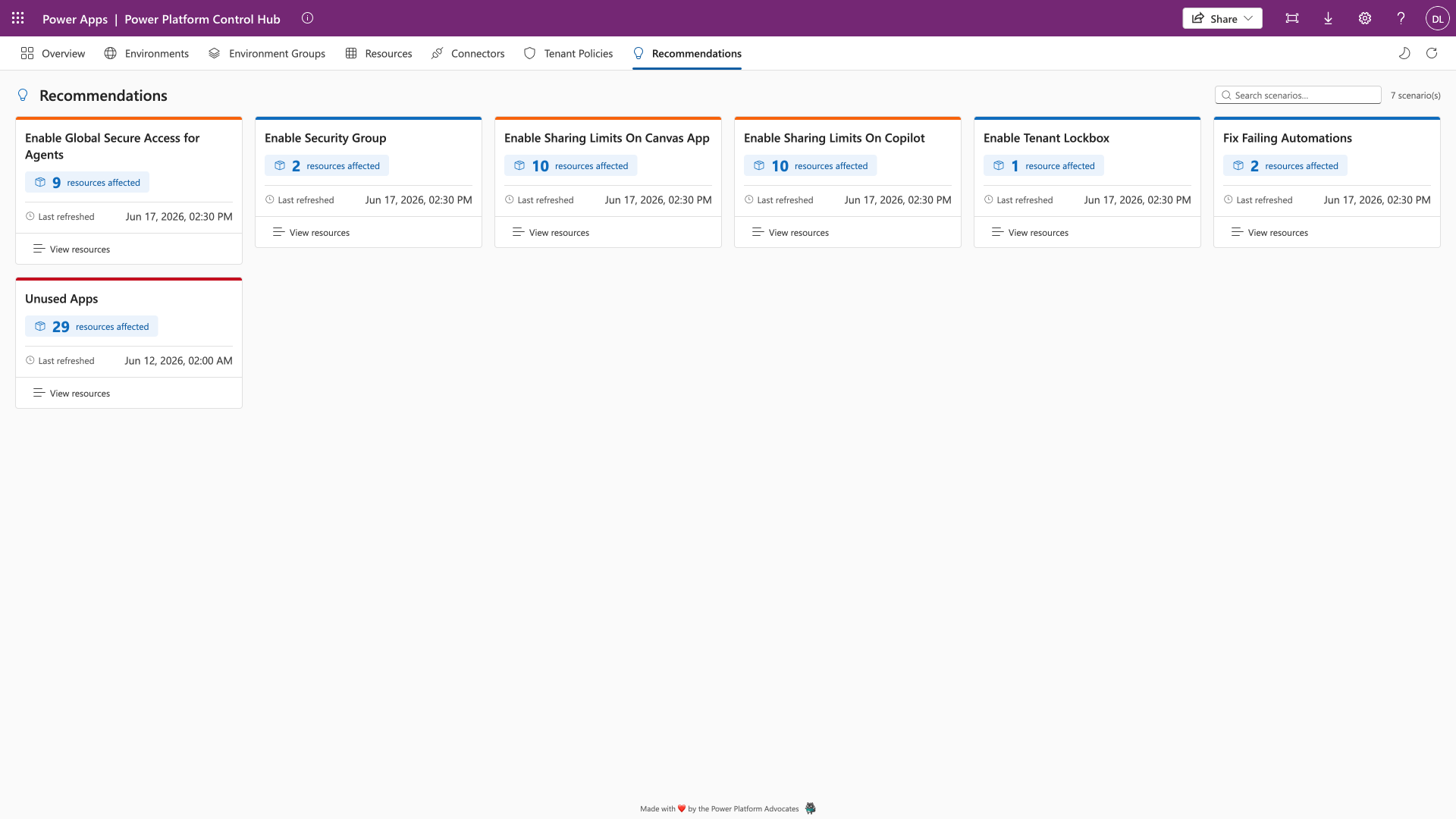
It's a Power Apps Code App that reads from the Power Platform Inventory API and the admin connectors directly. Canvas apps, model-driven apps, cloud flows, agent flows, code apps, Copilot Studio agents and environments, all of it live at the moment you open the page. There is no solution to import, no Dataverse tables to populate and no nightly sync to babysit. Authentication comes from the Power Apps host, so there's no app registration and no MSAL configuration either.
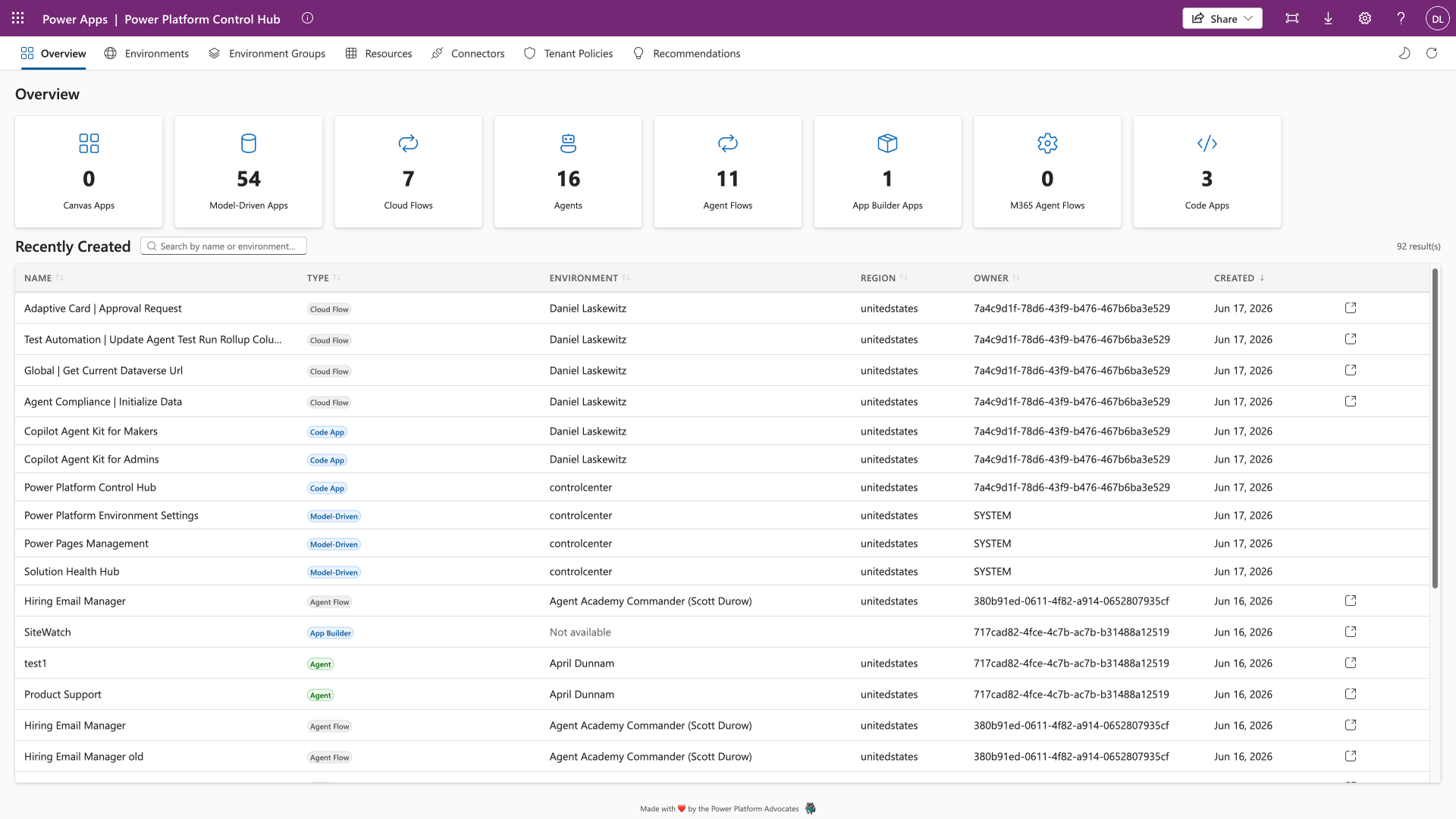
Inventory is the boring half
Listing resources is the part everyone expects. I wanted the part after that: click a resource and get told something useful about it.
So every canvas app, flow and agent has a detail panel with a Best Practice Analysis section. Flows get 26 checks: no error handling, HTTP actions without a timeout, nested Apply to each loops, a Do Until with no meaningful iteration limit, Parse JSON without a schema, an HTTP trigger with no Response action. Canvas apps get 11, mostly around sharing and staleness. Copilot Studio agents get 13, including the ones that matter for security: authentication set to None, access control open to anyone, group membership access with no groups actually configured.
Those checks are the reason the thing exists. An inventory tells you what you have. The analysis tells you what to do on Monday.
The flow panel also renders the full trigger and action tree, with conditions showing their True and False branches side by side and loops and scopes as collapsible containers. Once you can read a flow's shape without opening the designer, reviewing someone else's flow stops being a chore.
Governance you can edit, not just read
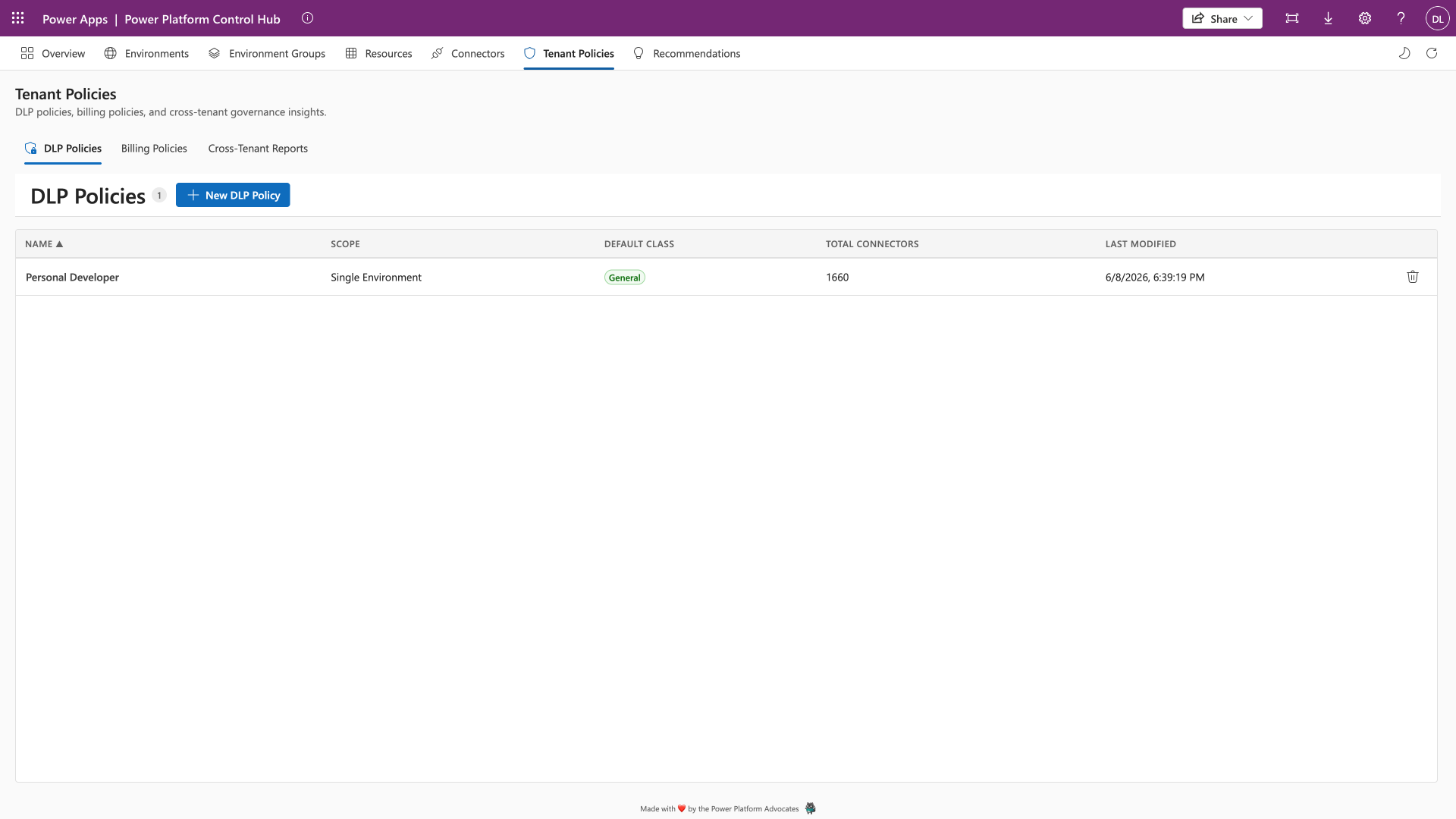
The other thing the Starter Kit dashboard never did for me was let me change anything. Control Hub does DLP policies end to end: list them, create them through a two-stage flow, open a detail page per policy. There's an Apply Best Practices action that checks a policy against a set of advisory rules, HTTP to Blocked, SharePoint to Confidential, and shows you what it proposes before anything is saved.
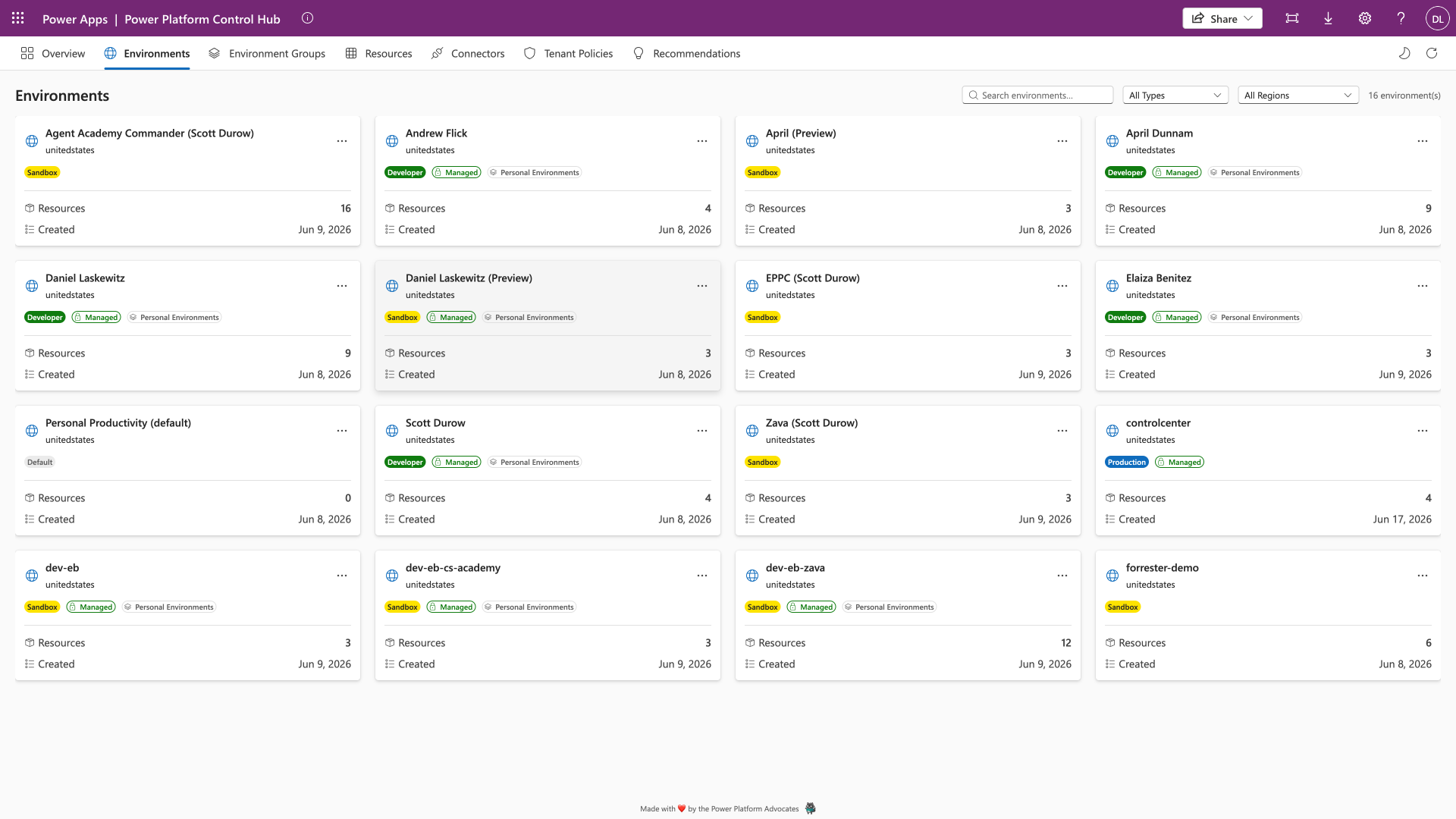
Environment groups, rule-based policies and rule sets are full CRUD. Environments can be enabled, disabled, made managed, backed up, and moved in and out of groups from the Actions menu. Quarantining an app, disabling a flow or adding yourself as an owner all happen in place.
Why a Code App
Code Apps sit in a spot I like. It's a React and TypeScript app with Fluent UI v9, so I get real components, real state and a real build, but it's still hosted by Power Apps with Power Apps handling identity and connector authentication. I don't have to stand up infrastructure to ship an admin tool to admins.
It also means the whole thing is a repository you can read, fork and change. If your organisation's idea of a best practice differs from mine, the checks are a TypeScript file, not a rule buried in a solution.
Because everything it does goes through a connector, it plays by the tenant's own rules. It's subject to your DLP policies and your Advanced Connector Policies exactly like any other app. Block a connector it needs in the environment you put it in and it stops working. That's the right outcome, not a bug. A tool for governing the tenant shouldn't get to sit outside the tenant's governance.
Dark mode, keyboard navigation and a responsive layout are in there too. Not decoration. People don't open admin tools they dread opening.
The repo is at Laskewitz/Power-Platform-Control-Hub. Issues and pull requests are welcome, particularly around the analysis rules.